Virtual Instrument Creator
Turn your own recordings of an instrument into a playable DecentSampler instrument and SF2 soundfont: describe it, record each note in the app or bring files from your DAW, check the samples, and build.
It is made for all kinds of instruments: plucked or struck strings, pitched percussion (kalimba, metallophone), sustained instruments, drums and single sounds.
What it does
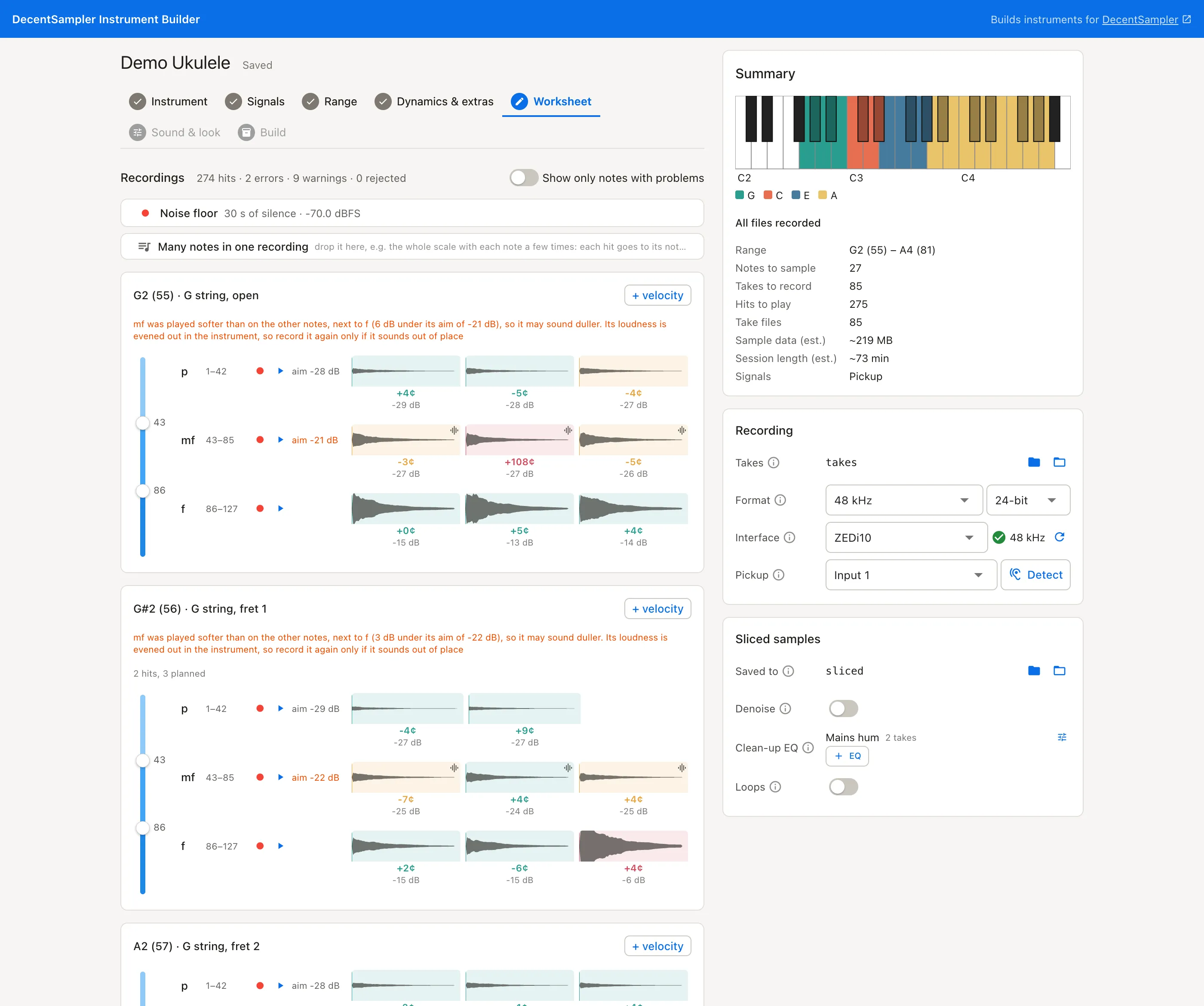
- A recording plan: from the type, strings and tuning (or a note range), velocities and variations, the builder lists every take to record and names its files.
- Record in the app at your own pace, or drop in files from your DAW, or import a folder of cut samples. Takes are cut into hits automatically, each starting at the pluck.
- Checking: each hit shows its tuning and attack loudness. Wrong notes, clipping, missing pitch and cut-off hits are flagged.
- Cleaning up noise: denoising with your noise-floor recording as the profile, and a clean-up EQ for mains hum, buzz or a click’s ring.
- Even loudness: quiet recordings are raised, notes that came out louder or softer are brought in line, and loudness follows velocity.
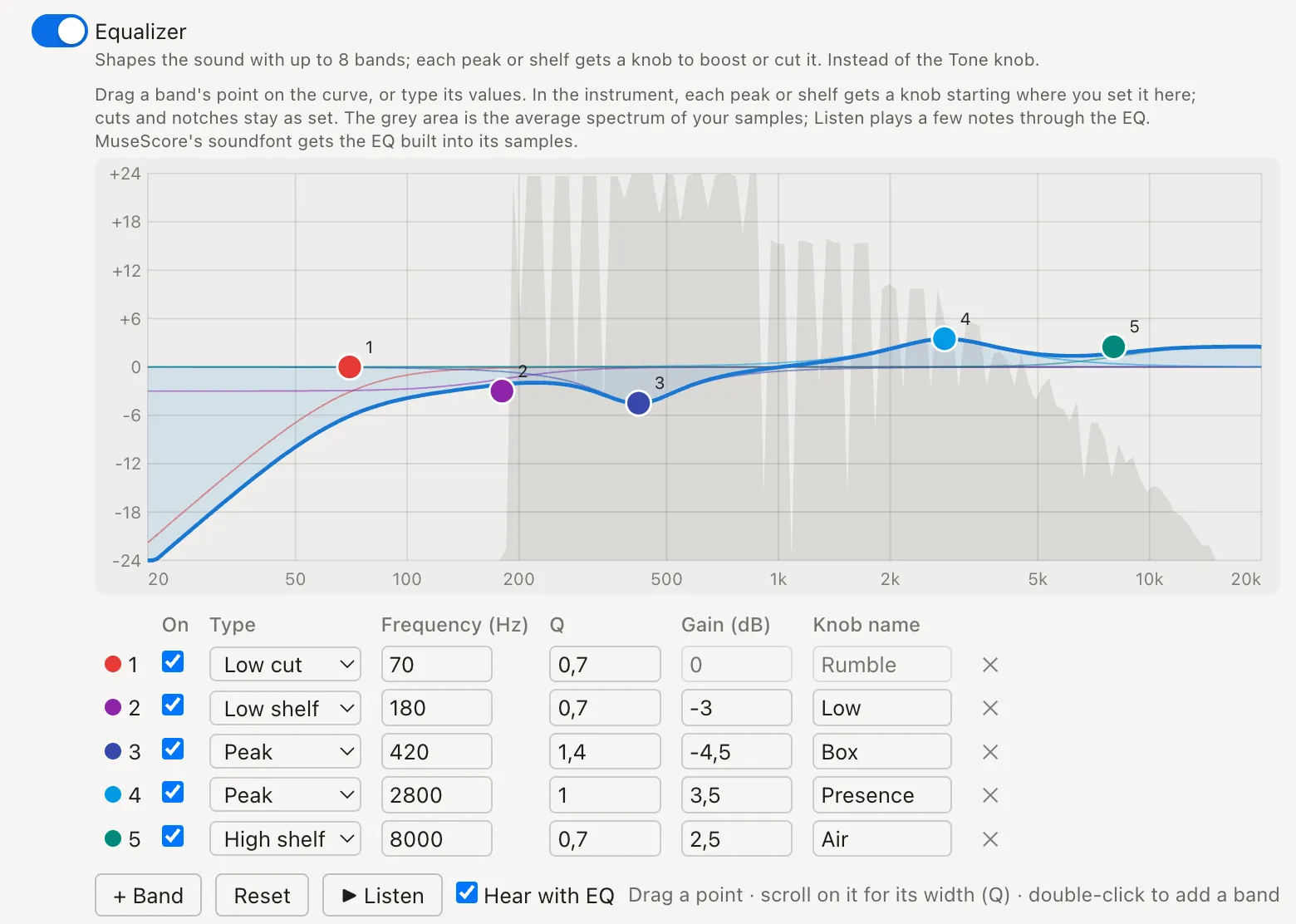
- Sound: tuning correction, an equalizer, and knobs for tone, attack, release and chorus.
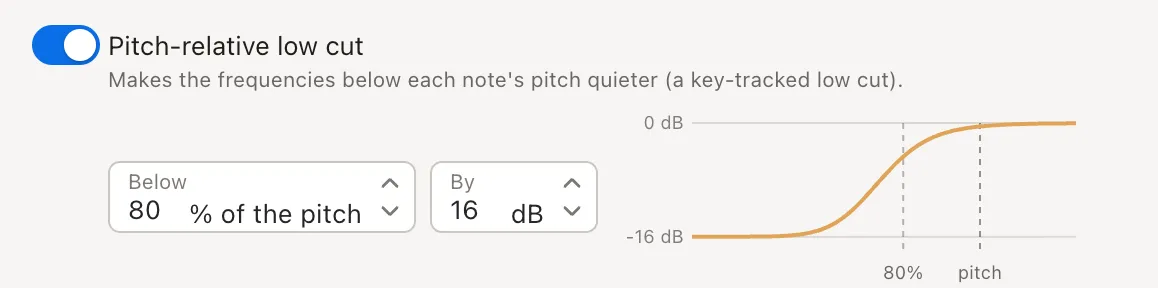
- Pitch-relative low cut: a low cut that follows each note’s pitch (key tracking). It lowers what lies below the note, such as the boom of a ukulele’s body after the pluck, without cutting into the low notes. A knob blends it in.
- Reverb without the pluck’s hiss: a pluck’s click is full of highs, which a reverb turns into a hiss that keeps ringing. With this setting, the dry sound stays as recorded, and the reverb gets neither the click’s highs nor the upper part of each note: each sample goes to a reverb for its few semitones, filtered for that pitch. It uses DecentSampler’s reverb or an impulse response of your own.
- Look and packaging: background image, colours, credits and a library cover; a
.dslibraryto share, and an SF2 soundfont for MuseScore and other players.
How it works
Seven steps, saved as you go:
- Instrument: name and type, which sets the defaults for the rest; or import existing samples.
- Signals: e.g. a pickup, a microphone or both.
- Range: strings, tuning and frets, or the lowest and highest note.
- Dynamics & extras: velocities, variations and extras.
- Worksheet: record each velocity row, or drop a file onto it. Click a hit to review it.
- Sound & look: tuning, loudness, equalizer, knobs, effects and artwork.
- Build: check, install and package.
Tips
- Record the noise floor first (30 s of silence): it tells the builder what is noise.
- Record a few more hits than you need and reject the weak ones.
- Try the first few notes before recording everything: build, play them, carry on.
Get it
It runs on a Mac and needs DecentSampler to play the result, plus an audio interface or microphone if you record in the app. Installation and the full user guide are on GitHub. MIT licence.